
Kids Numbers and Math
Intellijoy Educational Games for KidsEducational
4.1114.00 Reviews
- Version
- 2.6.1
- Installs
- 100.00K
- Age Rating
- Everyone
Screenshots
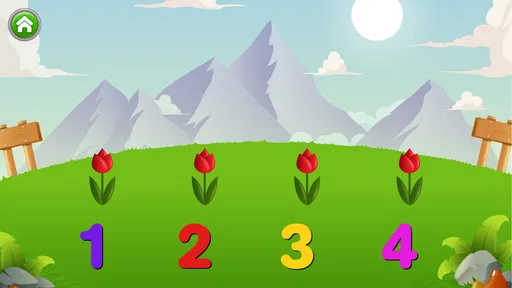
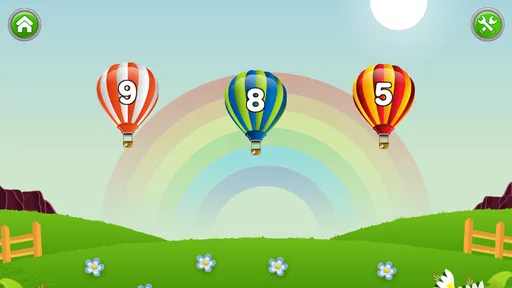
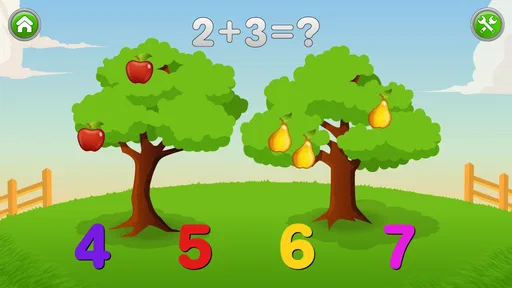
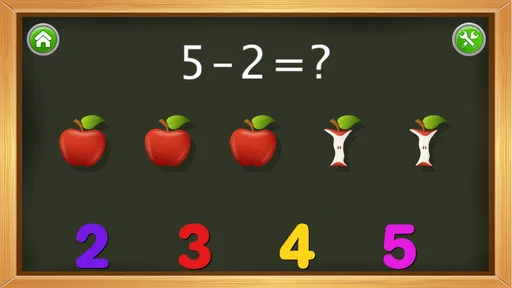
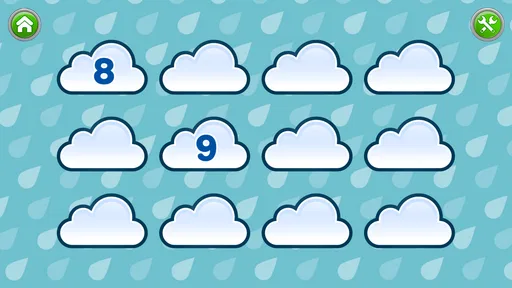
Our Review of Kids Numbers and Math
 Analysis by Appyee
Learning numbers is one of those early skills that benefits from short, calm practice rather than long lessons. I found Kids Numbers and Math most useful in that space: it turns basic counting and arithmetic into a simple game that a young child can approach without feeling as if they are sitting through a formal worksheet. It is an educational game from Intellijoy Educational Games for Kids, aimed at Everyone, and its focus is deliberately narrow—numbers and the first steps of math.
That narrow focus is both its appeal and its main limitation. I would recommend it to a parent who wants a straightforward practice tool for a child beginning to recognize numbers, count, and work through very early sums. I would not choose it as a complete mathematics program, a replacement for teaching, or an app for children who already need more advanced challenges. Its value comes from making repetition less intimidating, not from covering every part of early math.
How the game feels in everyday use
When I look at an app for young learners, I pay attention to whether a child can understand the task quickly. Kids Numbers and Math works best when the adult introduces it briefly, then lets the child try. The activities are built around familiar number ideas, so the learning goal is easy to explain: identify quantities, recognize numerals, and begin connecting numbers with simple operations.
A realistic use case would be a child using it for a few minutes after breakfast while a parent prepares for the day. The parent can sit nearby for the first round, ask the child to say the numbers aloud, and then let the child continue independently. That makes the game useful as a small practice routine rather than an activity that demands a full lesson plan.
I also like the fact that the app’s subject is clear from the start. There is no need to navigate a broad collection of unrelated subjects before reaching number work. For a child who is still building confidence, that reduced scope can prevent distraction. The trade-off is that children seeking variety may move through the material quickly or ask for something more visually dynamic.
The game is especially suitable for preschool and early elementary learners who are still developing number familiarity. It can also help a child who understands counting verbally but needs more practice connecting spoken numbers, written numerals, and quantities. That distinction matters: reciting numbers from memory is not the same as recognizing what a numeral represents, and guided play can help bridge that gap.
A useful role beside real-world practice
I would use this game alongside physical activities, not instead of them. After a short session, a parent could ask the child to count spoons, compare two groups of toys, or find a particular number on a calendar. This turns screen practice into a prompt for conversation and hands-on learning. The app introduces the idea; everyday objects help the child understand why the idea matters.
One of the less obvious strengths is that it can provide a low-pressure way to notice where a child hesitates. If the child counts confidently but struggles whenever a numeral appears, the next practice should emphasize symbol recognition. If the child recognizes numerals but becomes unsure when quantities change, physical counting objects may be more helpful than immediately repeating the same screen activity.
That makes the app more useful when an adult watches for patterns instead of treating every session as a test. I would avoid correcting every mistake instantly. Asking, “How could we check that?” encourages the child to count again and makes the activity feel like problem solving rather than judgment.
What the current version tells me
The current version is 2.6.1, and the product has been available since March 2, 2010. That long presence suggests a mature, established learning title rather than a brand-new experiment. At the same time, an older educational game should be judged by what it does well today, not by assumptions about how modern it must look.
Its current identity remains that of a focused numbers-and-math game. I would not expect the breadth of a large subscription learning platform, and I would not buy it expecting a complete progression through advanced arithmetic. The sensible reason to choose it is its directness: a child can spend time on foundational number practice without being surrounded by a large curriculum.
The developer, Intellijoy Educational Games for Kids, has built its reputation around children’s learning games, and that context fits the app’s uncomplicated approach. The experience is easier to understand when viewed as one focused tool in a child’s learning collection, rather than as a single app intended to handle every educational need.
For families already using an older device, the minimum operating-system requirement is 7.1. That makes it relevant to people who are not using the newest hardware, although device compatibility should still be checked before purchase. The current price is $2.99, which places it closer to a modest one-time learning purchase than to a recurring educational service.
I consider that pricing model important for parents comparing options. A low one-time cost can be attractive when the goal is simply to add a number-practice activity, especially if the child will use it in short sessions. A broader subscription may offer more subjects and a stronger learning pathway, but it also asks the family to commit to a larger service. This game makes more sense when the need is specific.
How the updates matter to returning families
For a child who already knows the app, the current version should be viewed as the maintained form of the same focused learning experience, not as a reason to expect a completely different game. The practical question is whether the child still benefits from number repetition. If the answer is yes, an existing user may find the familiar structure reassuring.
Familiarity can be an advantage with young children. A child who has already learned where to begin may spend less time asking for help and more time thinking about the numbers. It also allows a parent to compare the child’s confidence over time without introducing a new interface every few weeks.
There is a trade-off, though. Familiar activities can become predictable. If a child begins tapping through without saying numbers or considering quantities, the adult should change the surrounding routine rather than simply extending screen time. Pause after an answer, ask the child to explain it, or connect the question to objects in the room. The app works better when it is used interactively.
I would also avoid assuming that an update automatically changes the educational depth. Version 2.6.1 is the current version, but the most meaningful progress for a child may still come from how the adult uses the game. A short session followed by discussion can teach more than a long unsupervised run through familiar prompts.
Where it stands against common alternatives
Compared with paper worksheets, Kids Numbers and Math offers a more responsive-feeling play experience and may be easier to start when a child resists writing. Worksheets, however, are better for practicing pencil control, drawing quantities, and showing working steps. I would use the game to build willingness and recognition, then bring in paper when the child is ready to record answers.
Compared with counting toys or blocks, the game is more convenient when a parent needs a compact activity during travel or a quiet period at home. Physical objects are stronger for teaching one-to-one correspondence because the child can touch and move each item. If a child repeatedly guesses instead of counting, blocks may be the better choice for that stage.
Compared with large educational platforms, this title is less comprehensive but potentially easier for a beginner to understand. A broad platform is preferable for families wanting reading, science, stories, progress paths, and several levels in one place. This game is preferable when the immediate goal is simply to give number skills more practice without adding a large menu of subjects.
Compared with free alternatives, the $2.99 purchase may be worthwhile for parents who prefer a focused paid app and want to avoid choosing among many loosely connected activities. On the other hand, a family that only needs occasional counting practice may find free videos, household games, or printable activities sufficient. The purchase makes the most sense when the child actually returns to the app.
Small techniques that improve the learning value
My first practical tip is to keep sessions short and stop while the child is still comfortable. The goal is not to complete a certain amount of content. A child who finishes after a few successful attempts may remember the experience more positively than a child pushed through frustration.
My second tip is to ask for an explanation without turning the game into an oral exam. After a correct response, ask the child to show the quantity with fingers or nearby objects. After an incorrect response, invite a second count. This reveals whether the child understood the idea or simply tapped until something worked.
My third tip is to separate recognition from calculation. If the child cannot quickly identify a numeral, more arithmetic practice may not solve the real problem. Spend a day finding that numeral around the house, then return to the game. This simple switch can prevent the app from becoming a cycle of guessing.
A fourth useful approach is to let siblings take different roles. One child can answer while another counts objects or checks the result. That turns a solitary screen activity into a small shared lesson, although an adult may need to prevent the older child from taking over.
Parents should also pay attention to the child’s physical interaction with the device. If tapping is imprecise, the child may appear to misunderstand a question when the real difficulty is selecting the intended answer. In that situation, sitting closer, slowing down, or offering a larger device may help more than repeating the math explanation.
Who should choose it—and who should skip it
I think this is a good match for a young learner who needs extra exposure to numbers, a parent looking for a simple educational game, or a family that wants a modest paid app rather than a large learning subscription. It is also useful for adults who prefer to guide learning in small bursts and connect screen activities with counting at home.
I would skip it if the child already needs multiplication, fractions, multi-step problem solving, or formal written methods. I would also look elsewhere if the family wants detailed progress reporting, a broad curriculum, or a highly varied game world. Those needs call for a more comprehensive learning platform or direct instruction.
Children who become frustrated by repeated number tasks may need more physical, social, or story-based activities first. In that case, the app should not be treated as a remedy for every math difficulty. A teacher or parent can often learn more by observing the child with blocks, drawings, and spoken questions before deciding whether another digital tool is appropriate.
The Everyone rating makes it suitable for a general audience, but that does not mean every child will find the same level comfortable. Age labels describe content suitability, not individual readiness. A child who is just beginning may need encouragement, while a more advanced child may need a greater challenge.
What I would watch over continued use
The main thing I would watch is whether the child is becoming more deliberate. Improvement is not only getting more answers right; it is counting carefully, recognizing numbers without guessing, and explaining how an answer was reached. If those behaviors are developing, the app is serving a useful purpose.
I would also watch for automatic tapping. When the child stops looking at quantities or starts rushing through familiar prompts, the activity has probably reached the limit of its current usefulness. That is the moment to add real objects, ask a new question aloud, or move to a more advanced resource rather than increasing the duration of play.
Its average rating is 4.1 from around 1.1 thousand ratings, with 114 written reviews, and it has passed 100 thousand installs. Those figures show that the game has found a meaningful audience, but they should not replace judging the fit for one particular child. A popular early-math app can still be too simple for one learner and exactly right for another.
After using it, my view is positive but specific. Kids Numbers and Math is not a complete math curriculum; it is a focused practice game for the first steps. I would recommend it when a child needs gentle repetition, when a parent wants a quick activity with a clear purpose, and when the family is willing to connect digital play with real counting. I would spend the $2.99 confidently for that use case, while choosing a broader alternative for children who have already moved beyond basic number work.
Verdict
Strengths of Kids Numbers and Math
- Simple interface makes early math practice easy for young children.
- Covers counting, addition, subtraction, and other basic number skills.
- Short activities suit children with limited attention spans.
- Works well for independent practice with minimal adult guidance.
- Bright visuals and sounds help keep basic exercises engaging.
Limitations of Kids Numbers and Math
- Some activities may feel repetitive after extended use.
- Limited challenge for children who already know basic arithmetic.
- Sound effects can become distracting in quiet environments.
- Progress tracking may not provide enough detail for parents.
- Younger children may need help understanding certain instructions.
Other Releases by Intellijoy Educational Games for Kids
View All
Kids Learn to Read
Educational4.3

Kids Learn Letter Sounds
Educational4.3

Kids Learn Shapes 2
Educational4.3

Kids Telling Time
Educational4.2
Similar Picks in This Category
View All
Little Panda Policeman
BabyBus4.0

Monster Trucks Game for Kids 2
Raz Games4.1

Little Panda's Chinese Recipes
BabyBus4.4

Little Panda's Restaurant
BabyBus4.4

Little Panda's Ice Cream Games
BabyBus4.3

Baby Panda Care
BabyBus3.8
Frequently Asked Questions
What is Kids Numbers and Math, and who is it designed for?
Kids Numbers and Math is an educational app created to help young children practice basic numeracy in an interactive way. It generally focuses on recognizing numbers, counting, comparing quantities, and solving simple addition or subtraction exercises. The colorful presentation and short activities are best suited to preschool and early elementary learners, although the ideal age may vary depending on a child’s existing math skills.
What math skills can children practice with Kids Numbers and Math?
The app is mainly intended to build foundational mathematics skills rather than teach advanced topics. Depending on the selected activity or difficulty level, children may practice number identification, counting, number order, simple addition, subtraction, and recognizing relationships between quantities. These exercises can be useful for repetition and confidence-building, but parents should treat the app as a supplement to hands-on learning, conversation, and guidance from teachers.
Is Kids Numbers and Math easy for children to use independently?
The app is designed with children in mind, using simple instructions, visual elements, and straightforward interactions instead of complex menus. Younger children may still need an adult to explain an exercise, adjust the difficulty, or encourage them when they make mistakes. After becoming familiar with the interface, many children can complete short activities on their own, making it suitable for brief practice sessions at home or while traveling.
Does Kids Numbers and Math require an internet connection or include in-app purchases?
Whether an internet connection is required and whether extra content is offered through purchases can depend on the version available for your Android or iOS device. Basic activities may work offline after installation, but parents should check the current store listing for exact requirements. Before handing the device to a child, review the app’s purchase settings, advertisements, and parental controls to prevent accidental taps or unexpected charges.
Is Kids Numbers and Math safe and appropriate for young children?
The app can be a useful learning tool when used with reasonable supervision, but parents should always review its store permissions, advertising policy, privacy information, and any external links before installation. Screen time should also be balanced with physical play, reading, and real-world counting activities. If a child finds the exercises too easy or frustrating, adjust the difficulty when possible and use the app alongside adult encouragement rather than as a replacement for teaching.
Play our best games!


